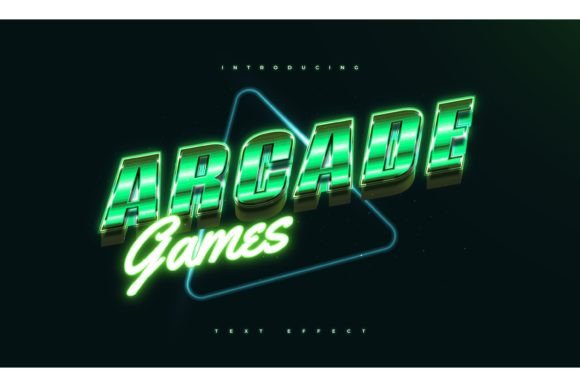
Arcade Game Text in Retro Style
There's something undeniably nostalgic about the pixelated, glowing text of classic arcade games. Arcade Game Text in Retro Style captures that essence, blending vintage charm with modern design flexibility. Whether you're creating promotional material, game assets, or branding elements, this style brings a playful, eye-catching energy that resonates across generations.
What Makes Retro Arcade Text Unique
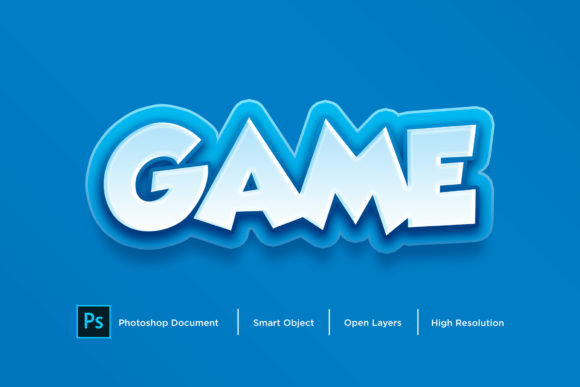
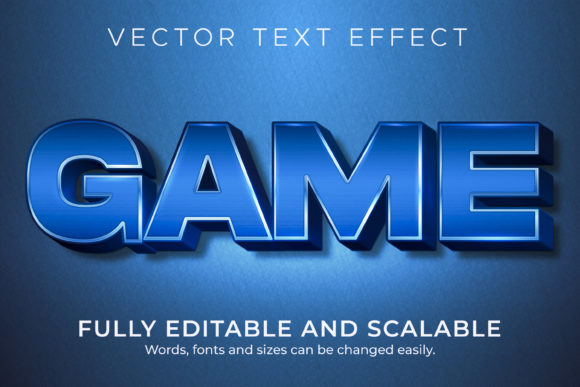
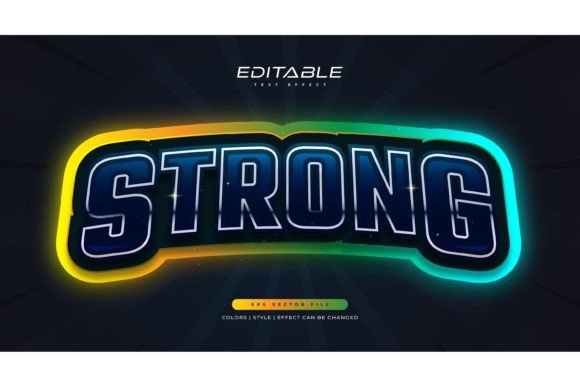
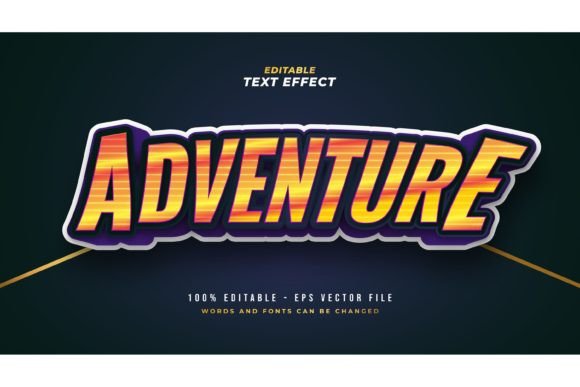
The appeal of retro arcade text lies in its visual personality. Inspired by 80s and 90s arcade cabinets, it often features bold outlines, neon-like glows, and a slightly jagged or blocky structure that mimics low-resolution displays. Unlike standard fonts, this is a full text effect design — meaning it's not just a typeface but a complete visual treatment that you can customize without needing advanced design skills.
With 100 editable words included, users can easily swap out text, adjust font styles, resize elements, and apply different effects. The package includes both EPS and JPG preview files, making it ideal for print, digital, and social media applications.
Creative Applications Across Industries
This design style isn't limited to gaming or nostalgia-driven projects. Its versatility makes it a powerful tool for a wide range of creative uses:
- Game Design: Use it for UI elements, game titles, or promotional banners to evoke a retro arcade feel.
- Marketing & Branding: Incorporate it into limited-time offers, event posters, or product packaging for a bold, attention-grabbing look.
- Blog & Social Media Graphics: Create engaging thumbnails, quote images, or infographic headers that stand out in feeds.
- Educational Content: Use it to design visually dynamic learning materials, especially when teaching design, media history, or digital culture.
- Merchandise: Apply the text effect to t-shirts, stickers, or posters for a branded retro aesthetic.
Designing with Retro Arcade Text
Because the text is fully editable, you're not locked into a single font or layout. You can choose any font you like and apply the retro effect on top. This opens the door to experimentation:
- Try pairing blocky fonts with neon glows for a true arcade vibe.
- Use sleek, modern fonts underneath for a contrast between old and new.
- Layer multiple text effects to simulate depth and lighting, like you'd see in real arcade screens.
- Add background textures like grid patterns or CRT screen noise to enhance authenticity.
Remember to keep your layout clean and readable. Even though the style is bold and playful, clarity should never be compromised — especially when conveying important messages.
Who Can Benefit from This Design Tool
This retro text effect is designed for a wide audience of creators and professionals:
- Graphic Designers: Save time by using pre-made effects that can be customized quickly for clients or personal projects.
- Marketers: Create themed campaigns with a retro twist that stands out in crowded markets.
- Bloggers & Content Creators: Enhance visual consistency and brand recognition with themed typography across posts and videos.
- Small Business Owners: Use it for signage, promotions, or merchandise without needing a professional designer.
- Freelancers: Expand your design toolkit with effects that appeal to niche markets and creative clients.
Adapting for Different Platforms
One of the biggest advantages of this design is its adaptability. Here's how different users can tailor it to their needs:
- Web: Use JPG versions for quick integration into websites or banners. Keep file sizes low while maintaining visual impact.
- Print: The EPS format ensures high-quality output for posters, flyers, or packaging. Make sure to check resolution and color settings before printing.
- Video: Import the text designs into video editing software as overlays for intros, titles, or lower thirds.
- Mobile: Optimize for mobile by simplifying effects and ensuring readability on smaller screens.
Maintaining Consistency and Clarity
While the retro style is inherently bold and attention-grabbing, it’s important to maintain visual consistency across your work. Here are some tips:
- Stick to a limited color palette to avoid overwhelming the viewer.
- Use the same glow or outline style throughout your project to unify the look.
- Align text with other design elements to preserve a clean, professional layout.
- Balance the intensity of the text with simpler backgrounds or surrounding content.
By applying these principles, you ensure that your designs are not only visually engaging but also easy to understand and appropriate for your audience.
Inspiration for Your Next Project
Need some ideas to get started? Here are a few project concepts that make great use of Arcade Game Text in Retro Style:
- Create a retro-themed event poster for a gaming convention or vintage tech fair.
- Design a series of motivational quote images for social media with a pixel-art twist.
- Develop a branded t-shirt line featuring your company slogan in glowing, blocky text.
- Produce a YouTube intro animation using the text effect to match a retro-style channel theme.
- Build a digital newsletter header that stands out with a bold, arcade-inspired title.
Final Thoughts
Arcade Game Text in Retro Style is more than a nostalgic nod — it's a flexible, professional design tool that empowers creators to express bold ideas with clarity and style. Whether you're a seasoned designer or just starting out, this effect can help you save time, enhance your visuals, and connect with audiences who appreciate a touch of retro charm.
By understanding how to apply and adapt this style thoughtfully, you can create work that feels both original and familiar — a rare balance in visual communication. So go ahead, click, edit, and bring your next project to life with a little pixelated magic.